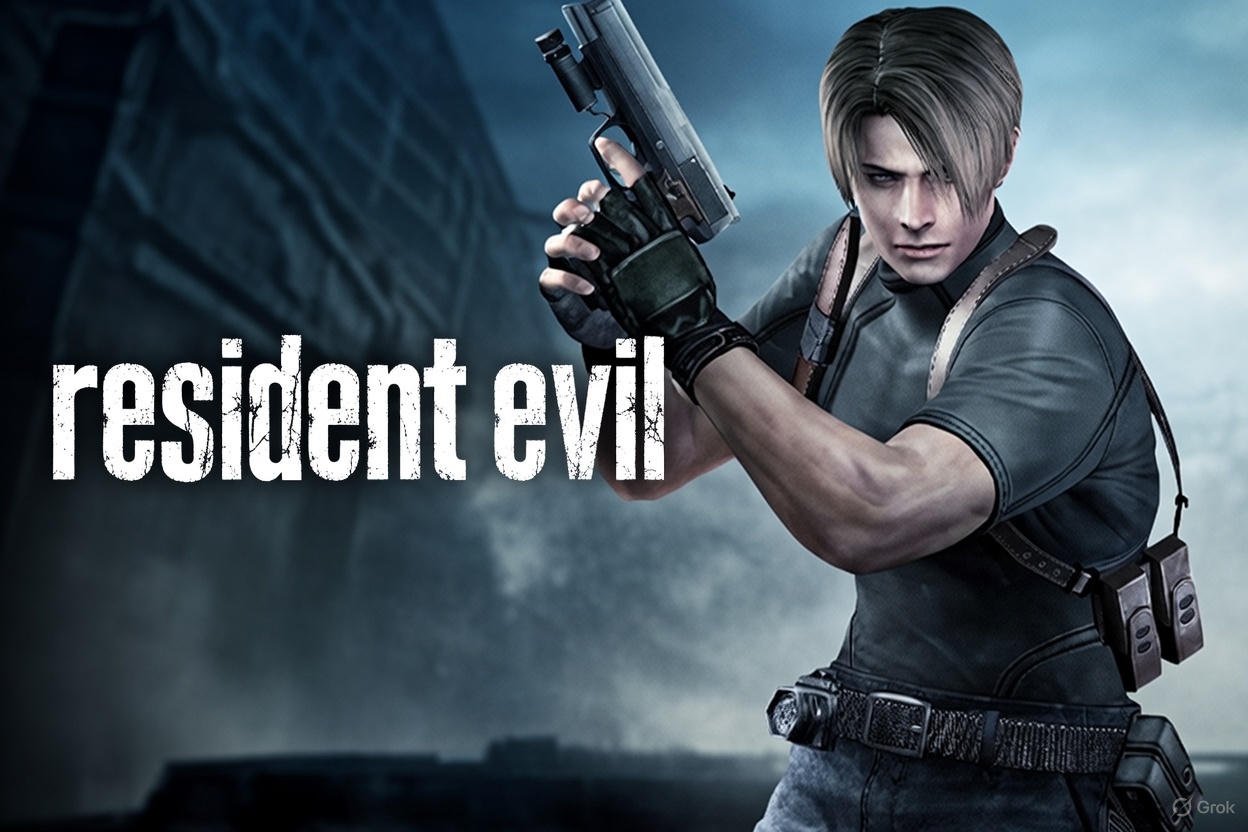
Resident Evil is more than just a game or movie—it’s a full-blown franchise that has terrified and entertained fans for decades. Since its debut in 1996, the series has expanded into movies, Netflix adaptations, and even remakes of classic games. Whether you are new to Resident Evil or a longtime fan, this guide will cover everything from Resident Evil 2 and 4 to Resident Evil Village and the upcoming Resident Evil 9. Let’s dive into the thrilling world of survival horror.
What is Resident Evil About?
At its core, Resident Evil is about survival in a world overrun by zombies and bio-engineered monsters. The series follows characters like Leon Kennedy, Claire Redfield, and Jill Valentine as they uncover dark corporate conspiracies. The games combine exploration, puzzle-solving, and combat, while the movies and Netflix adaptations bring these stories to life on screen. Fans often ask, “Where can I watch Resident Evil?”—we’ll cover that too.
The Resident Evil Games Timeline
Resident Evil Timeline
Resident Evil (1996)
The original Resident Evil game was released, introducing players to survival horror, zombies, and the T-virus outbreak.
Resident Evil 2 (1998)
Resident Evil 2 brought players to Raccoon City, introducing iconic characters Leon Kennedy and Claire Redfield.
Resident Evil 4 (2005)
Resident Evil 4 revolutionized gameplay with an over-the-shoulder perspective and modernized combat mechanics.
Resident Evil 7 & Village
Resident Evil 7 and Village introduced first-person horror with a focus on immersive storytelling and chilling environments.
Resident Evil Netflix & Movies
The franchise expanded to movies and Netflix series, bringing the survival horror experience to screens worldwide.
Resident Evil 9 (Upcoming)
The highly anticipated Resident Evil 9 is expected to continue the epic horror saga with new gameplay and story twists.
Fun fact: Many players wonder, “How many Resident Evil games are there?” As of now, there are 12 mainline games, not counting spin-offs like Resident Evil: Requiem or Death Island.
Resident Evil Movies and Adaptations
Resident Evil movies bring the games to life but with their own unique storylines. The franchise includes:
- Resident Evil (2002)
- Resident Evil: Apocalypse (2004)
- Resident Evil: Extinction (2007)
- Resident Evil: Afterlife (2010)
- Resident Evil: Retribution (2012)
- Resident Evil: The Final Chapter (2016)
- Resident Evil: Welcome to Raccoon City (2021)
Fans often ask, “How many Resident Evil movies are there?” There are currently seven live-action movies, plus animated adaptations like Resident Evil: Degeneration. You can find most movies online. Popular streaming options include Netflix, Amazon Prime, and specialized gaming platforms.
Resident Evil Netflix Series
Netflix brought Resident Evil to life in a serialized format. The show explores new stories within the Resident Evil universe and has sparked discussions about where to watch Resident Evil Netflix and how it compares to the games. It’s perfect for fans who want to experience Resident Evil outside of video games.
Resident Evil 4 and Remake
Resident Evil 4 is one of the most influential games in the series. The 2023 remake improved graphics, controls, and gameplay mechanics. Players often ask:
- “How long is Resident Evil 4 remake?” – roughly 12–15 hours for a first playthrough.
- “How many chapters are in Resident Evil 4?” – there are 6 major chapters and multiple sub-chapters.
Fans also love the characters Leon Kennedy and Ashley Graham. Leon’s age in Resident Evil 4 is 29, while Ashley is 18 years old.
Resident Evil Village and Resident Evil 7
Resident Evil Village (Resident Evil 8) continues the first-person horror style from Resident Evil 7. Many ask, “How long is Resident Evil Village?” – it typically takes 10–12 hours to complete. Resident Evil 7 introduced a darker, more intimate horror style, moving away from the over-the-top action of earlier games.
Co-Op and Multiplayer Features
Several Resident Evil games feature cooperative play:
- Resident Evil 5 – full co-op campaign
- Resident Evil 6 – co-op campaigns for multiple characters
- Resident Evil 2 Remake – limited co-op options
Fans often wonder, “Which Resident Evil is co-op?” These are the main ones with multiplayer elements.
Upcoming: Resident Evil 9
Fans are eager for when is Resident Evil 9 coming out. While Capcom hasn’t announced an exact date, leaks suggest it will continue the story from Resident Evil Village. Many are speculating on gameplay improvements, graphics, and story depth. Stay tuned to official channels for updates.
Where to Watch Resident Evil
You can watch Resident Evil movies and series on multiple platforms:
- Netflix: Resident Evil Netflix series
- Amazon Prime / Hulu: Most movies and animated adaptations
- Specialty streaming: Some games have cinematic cutscenes online
Questions like “Where can I watch Resident Evil?” and “Resident Evil movies where to watch?” are common among fans. The good news: most content is easily accessible worldwide.
Fun Facts About Resident Evil
- The first Resident Evil game came out in 1996.
- The franchise spans over 25 years.
- Resident Evil 4 is considered one of the greatest video games of all time.
- The series inspired numerous spin-offs, including Resident Evil Requiem and Resident Evil Death Island.
- There’s even a controversial adult parody: Resident Evil porn (for research curiosity only!).
FAQs About Resident Evil
Q1: How many Resident Evil games are there?
A1: There are 12 mainline games, plus several spin-offs and remakes.
Q2: How many Resident Evil movies are there?
A2: There are seven live-action films and a few animated adaptations.
Q3: Is Resident Evil 2 co-op?
A3: The remake has limited co-op, but the original is single-player.
Q4: How long is Resident Evil 7?
A4: The main story takes roughly 8–10 hours to complete.
Q5: When does Resident Evil 9 come out?
A5: Capcom has not announced a date yet; expect news soon.
Q6: How old is Leon in Resident Evil 4?
A6: Leon is 29 years old in Resident Evil 4.
Conclusion
Resident Evil remains one of the most influential survival horror franchises. With iconic games, movies, Netflix adaptations, and exciting upcoming releases like Resident Evil 9, the series shows no signs of slowing down. Whether you’re exploring Resident Evil 4 remake, binge-watching movies in order, or planning a Resident Evil gaming marathon, there’s something for every fan. Dive in, and experience the horror, action, and mystery of Resident Evil today!